Multi-location monitoring. One monitor. Every region covered.
Assign multiple regions to a single monitor, set region-specific alert thresholds, and track every incident on a single unified timeline.
How multi-location monitoring works in UptimeRobot
 One monitor, multiple regions
Instead of creating a separate monitor for each region, you can add all the regions you need to a single monitor. Fewer monitors to manage, one place to check status.
Region-specific response time thresholds
Each region can have its own response time threshold. A server in North America and a server in Asia do not need to meet the same number.
Incidents tied to specific regions
When a check fails in a region, the incident shows which one. If other regions also start failing, they are added to the same incident.
Bulk region updates
You can change the region configuration for multiple monitors at once. Select the monitors, pick the regions, and apply. No need to edit them one by one.


SMS

Voice call

Respond swiftly to region-specific outages.
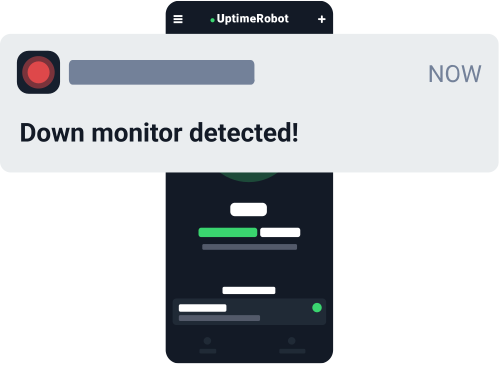
Receive real-time notifications the moment one region encounters performance issues. With up to 21 integrations—including push notifications, email, and SMS—you’ll be ready to act, no matter where you are.
Keep your focus local.
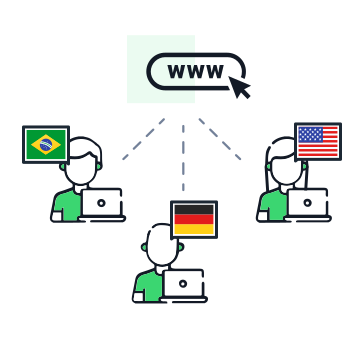
Tailor your monitoring to the regions that matter most. With location-specific monitoring, you'll only get alerts when issues affect your local audience. Choose from four regions — North America, Europe, Asia, and Australia — or let UptimeRobot auto-assign with the Default option. Assign multiple regions to a single monitor for broader coverage without the clutter.
Improve user experience.
Identify regional slowdowns or connectivity issues to ensure every visitor enjoys a fast, seamless experience. Monitor performance across the globe—all from a single, user-friendly dashboard.
Explore more uptime monitoring features.
Maximize multi-location monitoring with seamless dashboard features.
Recurring notifications
Set recurring alerts so you never miss a critical regional outage.
Set up request timeout
Adjust the notification delay to up to 60 seconds if your website takes longer than usual to respond.
Share incident updates
Send real-time status updates to your Status Page subscribers so they know if the issue affects their region.
Website uptime
Keep tabs on your website’s overall uptime and receive instant alerts for any downtime, worldwide.
Domain and SSL monitoring
Avoid unexpected site inaccessibility by getting alerts well before your domain or SSL certificates expire.
Add team members
Grant access to your teammates and keep everyone on the same page for faster collaboration.
Set up location-specific monitoring in 30 seconds.
1. Add a single monitor
Create HTTP/Website, Ping, or Port monitoring in the Monitoring tab.
2. Adjust the settings
Provide the URL, IP, or a specific port you wish to keep an eye on.
3. Choose regions & frequency
Select one or more of four regions to monitor from and define how frequently checks occur.
4. Configure alerts
Decide how you want to be notified, set region-specific response time thresholds, and choose from up to 21 native integrations.
All you really care about
monitored in one place.





What users love about UptimeRobot.

Great product!
We have been using UptimeRobot consistently for several years. We love the quick alerts when monitored services are offline.
It just works.
Awesome. I use it to monitor my client’s websites and web apps. It’s very simple and just works for me, for years now.
Very effective software.
Very effective software to monitor our sites, has a nice overview, and it’s easy to configure.
Frequently Asked Questions.
What is multi-location monitoring?
Multi-location monitoring checks your website or service from multiple geographic regions instead of a single server. It catches outages, routing failures, and CDN issues that only affect users in specific parts of the world. UptimeRobot monitors from four regions: North America, Europe, Asia, and Australia.
How does UptimeRobot's multi-location monitoring work?
You assign one or more regions to a monitor, and checks rotate across those regions at your chosen interval. When a failure is detected, UptimeRobot confirms it from multiple nodes within that region before opening an incident. This confirmation step reduces false positives. Region-specific thresholds let you control when each region triggers its own alert.
How many monitoring regions does UptimeRobot offer?
UptimeRobot offers four monitoring regions: North America, Europe, Asia, and Australia. A Default option is also available, which lets UptimeRobot auto-assign a region for you. Paid plans unlock the ability to select specific regions and assign multiple regions to one monitor.
Do I need a separate monitor for each region?
No, you do not need a separate monitor for each region. You can add multiple regions to a single monitor, and checks rotate through them automatically. This keeps your monitor list clean and your incident history in one place instead of scattered across duplicate entries.
What happens when only one region detects a failure?
UptimeRobot opens a region-specific incident and sends you an alert for that region only. The other regions continue checking normally. This helps you isolate whether the problem is local — such as a CDN edge, a regional ISP, or a geo-routing rule — or global.
How does UptimeRobot track incidents across regions?
Region-specific failures get their own incident records, so you can see exactly where and when each region experienced downtime. All non-region-specific incidents combine into a single record with one lifecycle: opened, updated, and resolved. The result is a clean timeline without duplicate entries on your dashboard.
What plans include multi-location monitoring?
The Default setting, where UptimeRobot auto-assigns a region, is available on all plans. To choose specific regions or assign multiple regions to a single monitor, you need a paid plan of any tier.
Get your FREE account now, 50 monitors included!
Start monitoring in 30 secondsNo credit card required!
Available also on:



 Incident management
 IT alerting software
 Status pages