UptimeRobot Reviews, Ratings, and Customer Stories.
Real user reviews, ratings highlights, and customer stories that explain why teams choose UptimeRobot for uptime monitoring.

Customer stories and case study highlights.

WordPress VIP
Thanks to monitoring thousands of domains, WordPress VIP improved response times and performance while also saving on infrastructure costs.

ConfigCat
ConfigCat significantly enhanced the user experience and trust by making UptimeRobot and live alerts an essential part of their uptime monitoring.

Stratosphere Lab
As a security research lab, Stratosphere needed to find reliable monitoring that would allow them to keep all IoT devices operational.

Heineken
Heineken improves delivery efficiency, avoids disruptions, and ensures reliable operations across its global network by monitoring critical services.
What reviewers and users say.
"I have been using UptimeRobot for years in my previous job, to monitor a dozen websites. In my current job, we have just started implementing it. With 10+ years of experience working with UptimeRobot, I can say it's a very stable tool, reliable, with very few false flags. The interface is very clear, alerts are super easy to set up. Support is very responsive. Great free price plan and non-profit scheme."
René V.
Functional Application Manager
"The ease of setup and the speed with which alerts are received in case of outages or interruptions. Its dashboard is intuitive, allowing the monitoring of multiple services from a single place, and its integration with channels like email or Microsoft Teams enhances the technical team's response capability."
Roberto A.
Deputy Director of Security
"We've been using Uptimerobot as an organization in some form or fashion for many, many years and appreciate the stability and longevity of the product and company. They keep adding features yet maintain the simple, ease-of-use for powerful features."
Jeff M.
Director of Digital Experience
"Very reliable service with great incident reporting and tracking. Nice and easy to set up, including to monitor other status pages (which other services some times seem to struggle with). Even the free plan feature set is quite generous and the updated interface is great too!"
Edward C.
Network Manager
"Really positive, the solution works well over email and SMS and hasn't let me down. I like the pricing, it's really competitive compared to the market leaders and the solution has worked well for me."
Colin B.
Chief innovation officer
"Unlike many other status page solutions, Uptime Robot provides near real-time updates fully automatically, giving you peace of mind when monitoring your services. End users, customers, and businesses can easily check the status of critical services via clear and user-friendly status pages. One standout feature is SSL certificate monitoring – Uptime Robot notifies you well in advance before a certificate expires, helping to prevent unnecessary downtime."
Rico
Senior Developer
"I needed a simple, reliable way to know if my services go down without paying for an expensive monitoring solution. UptimeRobot has been perfect for my needs—lightweight, effective, and hassle-free."
Matt A.
Web Developer


UptimeRobot reviews and ratings highlights.

Reliable service
It was a wonderful experience and I would highly recommend it. UptimeRobot has exceeded my expectations with its efficient monitoring and notification system. Thanks to their service, I've been able to stay on top of any downtime issues and ensure maximum uptime for my online presence, highly recommended!
UptimeRobot Works Great -- And Believe It!
Our Native Amerrican news magazine/public service website is www.nativeamericatoday.com. Our former developer did a horrible job, which continually allowed bots to attack the site -- we went over our server's resource limits multiple times and crashed...
Piece of Mind Monitoring
I have recently moved monitoring to UptimeRobot for some critical links and external facing services within our organization. Internal monitoring programs are great until the internet is down and you don't know because you can't get the alerts out...
Reliable service
It was a wonderful experience and I would highly recommend it. UptimeRobot has exceeded my expectations with its efficient monitoring and notification system. Thanks to their service, I've been able to stay on top of any downtime issues and ensure maximum uptime for my online presence, highly recommended!
UptimeRobot Works Great -- And Believe It!
Our Native Amerrican news magazine/public service website is www.nativeamericatoday.com. Our former developer did a horrible job, which continually allowed bots to attack the site -- we went over our server's resource limits multiple times and crashed...
stars out of 5
reviews on G2
Empowering every team to stay online.
UptimeRobot, the world’s leading uptime monitoring service, serves a diverse user base. Explore tailored solutions for your role.
Devops
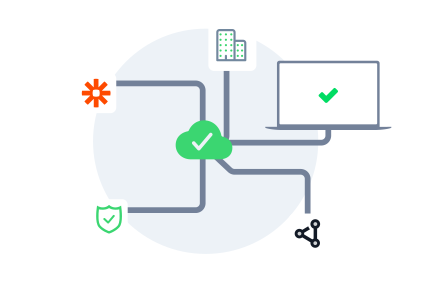
DevOps teams use UptimeRobot to catch incidents early, stay ahead of SLAs, and ensure services are reliable across environments.
 Explore more
Developers
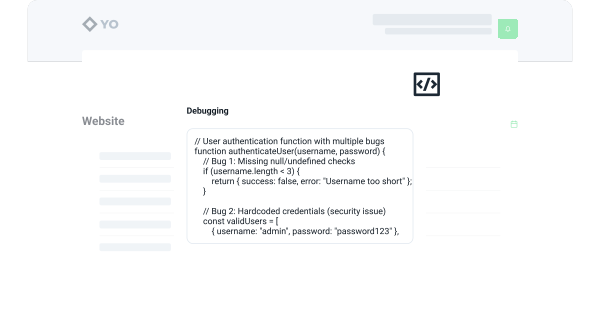
Developers rely on UptimeRobot to instantly detect when something breaks—whether it’s an API, webhook, website or staging deployment—so they can fix issues before users notice.
 Explore more
Marketers
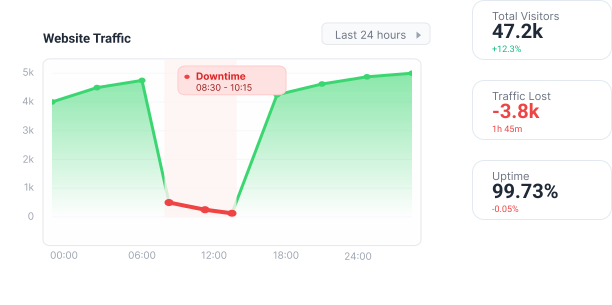
Marketers use UptimeRobot to monitor landing pages and campaign URLs, ensuring every visit counts and downtime doesn’t impact traffic and revenues.
 Explore more
Support
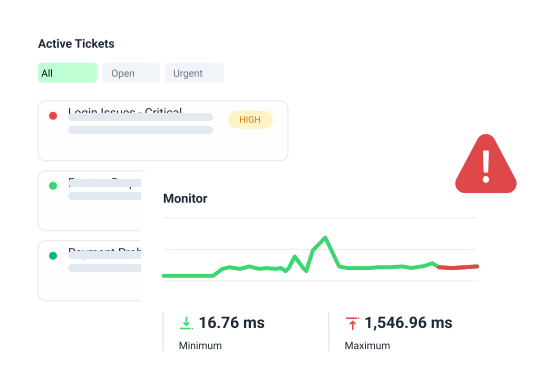
Support teams rely on UptimeRobot to stay informed when issues arise, enabling them to respond faster, keep users updated, and reduce ticket volume with real-time status updates.
 Explore more
Business owners
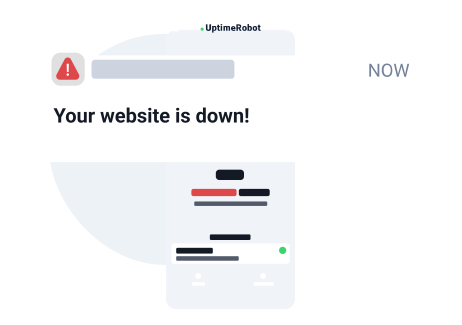
Business owners use UptimeRobot for peace of mind—getting alerts when their website goes down and knowing everything’s running smoothly, even when they’re not online.
 Explore more
How we give back..
We support more than 250 charities, non-profit organizations, and open-source projects with sponsored monitoring. Are you one of them, or would you like to suggest someone? Let us know.
Simple pricing. Powerful monitoring.
Free.

- 😐5 min. monitoring interval
![Included]() HTTP, port & ping monitor
HTTP, port & ping monitor![Included]() Keyword monitor
Keyword monitor- API monitoring
![Included]() UDP monitoring
UDP monitoring- Multi-location monitoring
- Slow response alerts
- DNS monitoring
![Not inncluded / Not available]() SSL & Domain exp. monitor
SSL & Domain exp. monitor- 😐Only 5 integrations
- 😐Basic status pages
- Notify seats unavailable
- No login seats available


Solo.
- 60 sec. monitoring interval
- HTTP, port & ping monitor
![Included]() Keyword monitor
Keyword monitor- 🆕 API monitoring
- 🆕 UDP monitoring
- 🆕 Multi-location monitoring
- 🆕 Slow response alerts
- 🆕 DNS monitoring
- SSL & Domain exp. monitor
- 🙂Only 9 integrations
- 😐Basic status pages
- Notify seats available
- No login seats available

Team.

- 60 sec. monitoring interval
- HTTP, port & ping monitor
![Included]() Keyword monitor
Keyword monitor- 🆕 API monitoring
- 🆕 UDP monitoring
- 🆕 Multi-location monitoring
- 🆕 Slow response alerts
- 🆕 DNS monitoring
- SSL & Domain exp. monitor
- All 12 integrations
![Included]() Full-featured status pages
Full-featured status pages- 3 notify seats incl.
- 3 login seats incl.

Enterprise.

- 30 sec. monitoring interval
- HTTP, port & ping monitor
![Included]() Keyword monitor
Keyword monitor- 🆕 API monitoring
- 🆕 UDP monitoring
- 🆕 Multi-location monitoring
- 🆕 Slow response alerts
- 🆕 DNS monitoring
- SSL & Domain exp. monitor
- All 12 integrations
- Full-featured status pages
- 5 notify seats incl.
- 5 login seats incl.
Get your FREE account now, 50 monitors included!
Start monitoring in 30 secondsNo credit card required!
Available also on:


Frequently asked questions.
Where can I read UptimeRobot reviews?
You can read UptimeRobot reviews on sites like G2, Capterra, and Trustpilot, and on UptimeRobot’s own customer page.
Our customer page includes real user testimonials and case studies with real review excerpts, so you can see third-party feedback and first-hand experiences all in one place.
How reliable is UptimeRobot according to reviews?
From what users say, UptimeRobot is seen as very reliable. A lot of people mention that it just works without much setup and doesn’t give false alerts.
It checks from multiple locations, which helps avoid random false positives, and when something does go wrong, alerts come through quickly. There are also simple status pages if you need to keep others updated, which people find useful in practice.
How fast are UptimeRobot alerts?
UptimeRobot alerts are sent instantly, but when they’re sent depends on how often your monitors are set to check.
On the free plan, checks run every 5 minutes. Paid plans bring that down to every 60 seconds, and Enterprise can go even faster. When something goes down, alerts are sent out straight away through email, SMS, mobile push, or through tools like Slack and webhooks.
Is UptimeRobot free to use?
Yes, UptimeRobot does have a forever-free plan, and you don’t need a credit card to sign up.
With our free plan, you’ll get up to 50 monitors with 5-minute checks, plus a basic status page. For many, that’s enough to get started and see how it works before paying.
Is UptimeRobot worth paying for?
Whether UptimeRobot is worth paying for depends on how often you need checks and how much control you want.
Our paid plans give you faster monitoring (down to 60 seconds, or 30 on Enterprise) and more integrations, extra monitoring types, and better options for status pages and team access.
How does UptimeRobot pricing compare to competitors?
UptimeRobot is usually priced lower than many other monitoring tools.
There’s a forever-free plan, and even the paid tiers are relatively affordable compared to options like Pingdom or Site24x7.
Who is UptimeRobot best for?
UptimeRobot is best for teams that need reliable, no fuss monitoring without a lot of setup.
Our platform is used by developers, small DevOps teams, agencies, and SaaS companies to monitor websites, APIs, and servers to get alerts when something goes wrong. It’s also a good fit if you want a simple way to share updates through a status page without adding extra tools.
What are the main pros and cons mentioned in UptimeRobot reviews?
The main pros of UptimeRobot are how easy it is to set up, how reliable it feels day to day, and that it doesn’t trigger false alerts.
On the downside, some users say the 5-minute checks on the free plan can feel too slow, and that more advanced features or deeper analytics are limited compared to bigger monitoring platforms.
What can UptimeRobot monitor?
UptimeRobot can monitor a wide range of things, including websites, APIs, ping, ports, and even specific keywords on a page.
It also covers things like cron jobs, SSL certificates, domain expiration, DNS records, and response times. That mix is why people use it not just for basic website uptime, but for keeping an eye on different parts of their setup.

 Incident management
 IT alerting software
 Status pages